Tag: Shopify development

  • Shopify Plus vs Shopify Advanced: Which Plan Is Right for a Growing Ecommerce Business? (2027 Guide)

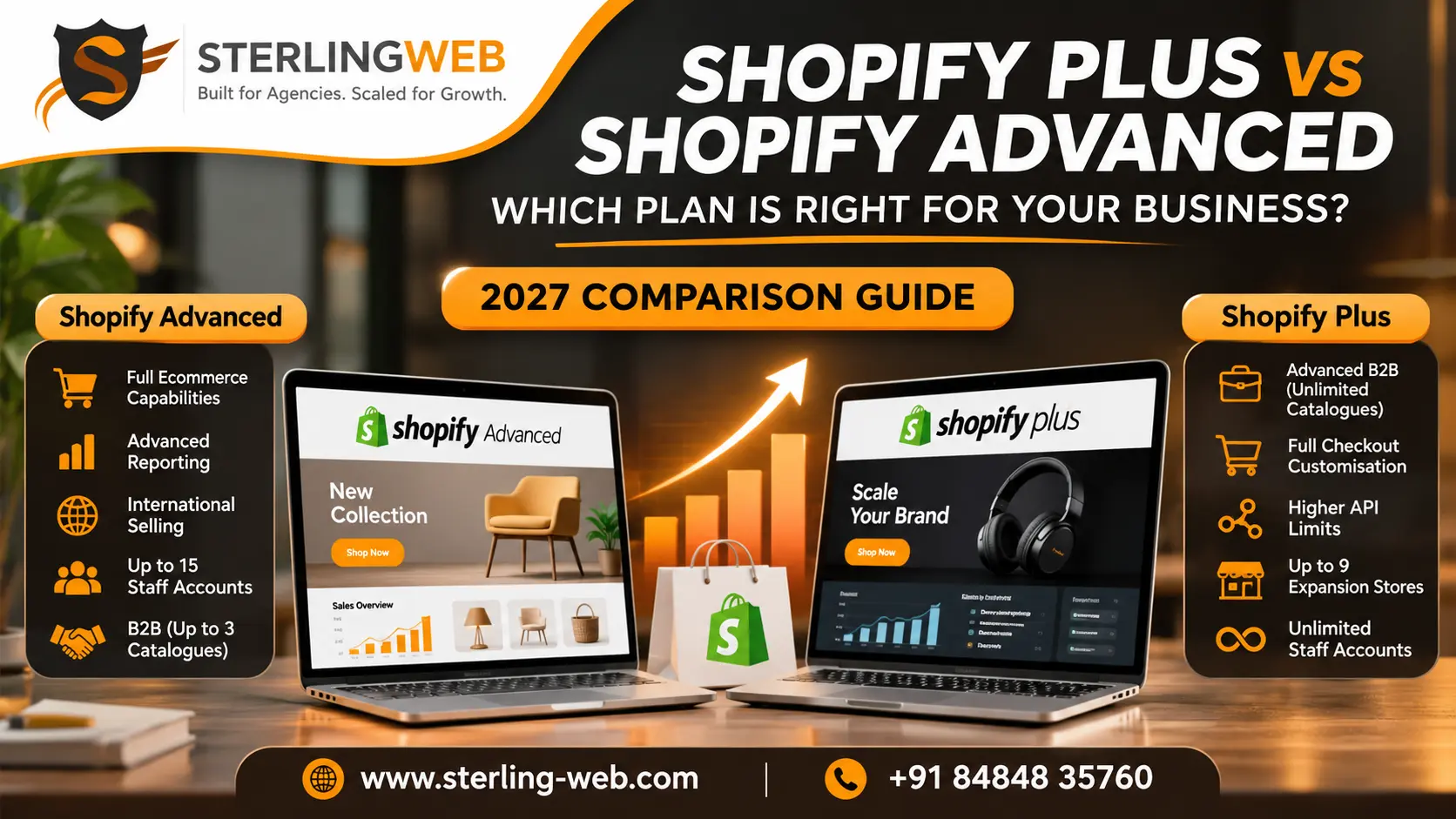
    Shopify Plus vs Shopify Advanced: Which Plan Is Right for a Growing Ecommerce Business? (2027 Guide)

    Choosing the right Shopify plan becomes more important as your ecommerce business grows. The plan you start with may work perfectly when you have a small product catalogue and a manageable number of orders. But as sales increase, your business may need better automation, more staff access, advanced checkout options and stronger B2B capabilities.

    This is where the decision between Shopify Advanced and Shopify Plus becomes important.

    Both plans support growing ecommerce businesses. However, they are designed for different levels of operational complexity. Shopify Advanced offers powerful features for established stores, while Shopify Plus provides additional capabilities for businesses with more demanding requirements.

    So, is upgrading to Shopify Plus worth the investment, or is Shopify Advanced enough for your business?

    Let’s compare their pricing, features and practical differences to help you make an informed decision for 2027.

    Quick Answer: Shopify Plus vs Shopify Advanced

    Shopify Advanced is generally suitable for established ecommerce businesses that need advanced reporting, international selling, and more staff accounts without taking on the higher cost of an enterprise-level plan.

    Shopify Plus is better suited to larger or rapidly growing businesses that need more control over checkout customisation, advanced B2B operations, higher API limits and additional store management capabilities.

    The main difference is not simply the number of products or orders your store can handle. It is the level of flexibility, automation and operational control your business requires.

    Shopify Advanced vs Shopify Plus: Pricing in India

    Pricing is one of the first things businesses consider when comparing these plans.

    Shopify Advanced has a considerably lower monthly cost than Shopify Plus. However, Plus includes additional features designed for businesses with more complex ecommerce operations.

    Here is the India pricing available at the time of research on 3 November 2026.

    Pricing detailShopify AdvancedShopify Plus
    Monthly pricing₹30,164/monthFrom ₹1,90,000/month
    Annual commitment₹22,680/month equivalentFrom ₹1,75,000/month
    Third-party transaction fee0.6%0.2%
    Staff accountsUp to 15Unlimited
    B2B cataloguesUp to 3 active assignmentsUnlimited assignments
    Expansion storesNot included as a Plus entitlementUp to 9

    Prices are based on the available Shopify India pricing at the time of research. Shopify Plus pricing depends on the contract and applicable terms. These figures are reference prices, not guaranteed 2027 rates. Check the latest Shopify pricing before making a purchase decision.

    Is Shopify Plus worth the higher price?

    The difference in subscription cost is substantial. Therefore, moving to Shopify Plus should be based on business requirements rather than the assumption that a more expensive plan automatically produces better results.

    For example, a business managing one online store with a relatively straightforward checkout process may find Shopify Advanced sufficient.

    However, a company managing multiple storefronts, complex B2B pricing and customised checkout requirements may benefit from the additional capabilities of Shopify Plus.

    The right choice depends on whether those features solve real operational problems or support a clear growth plan.

    1. Checkout Customisation: Where Shopify Plus Has an Advantage

    The checkout experience directly affects how customers complete their purchases.

    A complicated checkout process can create unnecessary friction. Businesses with specific requirements may also want to customise the checkout to match their sales process.

    Shopify Advanced provides standard checkout customisation options. These are suitable for many established ecommerce stores.

    Shopify Plus offers additional flexibility through checkout extensibility, including checkout app extensions and the Checkout Branding API. These capabilities allow businesses to customise supported parts of the checkout experience more extensively.

    For example, a growing brand may want to:

    • Add specific information to supported checkout steps.
    • Integrate checkout-related applications.
    • Adjust checkout branding and presentation.
    • Support more complex purchasing experiences.

    Which plan should you choose?

    Choose Advanced if its standard checkout options meet your requirements. Consider Plus if your business needs additional checkout customisation and integrations that Advanced does not provide.

    2. B2B Ecommerce: Advanced Also Supports Native B2B

    There is a common misconception that Shopify B2B functionality is available only with Shopify Plus.

    That is no longer accurate.

    Shopify Advanced also supports native B2B capabilities, including company profiles, payment terms and up to three active catalogue assignments.

    This makes Advanced a practical option for businesses that want to combine regular online sales with wholesale operations.

    Shopify Plus provides additional flexibility for more complex B2B requirements.

    Its capabilities include unlimited catalogue assignments, direct catalogue assignment to companies or company locations, and additional B2B payment features.

    Consider a business selling products to different distributors and wholesale customers. Each customer group may require different pricing, product availability and payment arrangements.

    Advanced can support simpler B2B operations. Plus becomes more relevant when the business needs to manage a larger number of customer groups and more complex wholesale processes.

    The important point: You do not need Shopify Plus simply because you want to sell wholesale. You should consider it when your B2B requirements exceed what Advanced can comfortably support.

    3. Staff Accounts and Team Management

    As an ecommerce business expands, more people become involved in daily store management.

    Your team may include:

    • Store administrators
    • Marketing managers
    • Customer support executives
    • Inventory managers
    • Finance teams
    • Ecommerce operations staff

    Shopify Advanced supports up to 15 staff accounts, while Shopify Plus provides unlimited staff accounts.

    For a small or medium-sized team, the Advanced limit may be sufficient.

    However, larger businesses with multiple departments, locations or operational teams may find the additional flexibility of Plus useful.

    The decision should depend on how many people genuinely need access to your Shopify administration and how your business manages permissions.

    4. Multiple Stores and International Expansion

    Expanding into new markets can introduce additional operational challenges.

    A business may need separate storefronts for different countries, brands, product categories or customer segments.

    Shopify Advanced supports international selling through Shopify Markets. This helps businesses manage international commerce without automatically requiring multiple independent stores.

    Shopify Plus offers additional expansion-store capabilities, including up to nine expansion stores under the relevant Plus entitlement.

    These can be useful for businesses managing multiple storefronts under a broader ecommerce operation.

    For example, a company may operate separate stores for different brands or regional markets while maintaining a centralised business structure.

    However, multiple stores also introduce additional responsibilities, such as catalogue management, inventory coordination, content localisation and operational reporting.

    Which plan is better?

    Advanced is suitable when international selling can be managed through your existing store and Shopify Markets.

    Plus is worth considering when your business needs additional expansion stores and more complex multi-store management.

    5. API Limits and Third-Party Integrations

    Growing ecommerce businesses often depend on multiple applications and external systems.

    These may include:

    • ERP software
    • CRM platforms
    • Inventory management systems
    • Warehouse management tools
    • Accounting applications
    • Marketing automation platforms

    As the number of orders and integrations increases, data needs to move reliably between different systems.

    Shopify Plus offers higher API rate limits than standard Shopify plans for supported APIs. This can help businesses managing more demanding integrations and higher-volume operations.

    However, higher API limits do not automatically make every integration faster or better.

    The actual performance also depends on application design, API usage, data volume and the systems connected to your store.

    If your existing integrations work reliably and your business has no major API limitations, Advanced may be sufficient.

    If your store regularly encounters integration constraints or requires more complex system connections, Plus may be worth evaluating.

    6. Automation and Business Operations

    Manual work becomes harder to manage as an ecommerce business grows.

    Teams may spend considerable time handling repetitive activities, such as order processing, customer segmentation, fulfilment coordination and internal workflows.

    Shopify provides automation capabilities that help businesses reduce repetitive work.

    The right automation setup depends on the plan, available features, applications and integrations being used.

    Shopify Plus is particularly relevant for businesses with more advanced operational requirements and larger-scale workflows.

    For example, a business managing multiple brands, wholesale customers and complex fulfilment processes may need more sophisticated automation than a smaller online store.

    However, upgrading plans alone will not fix inefficient operations. Your business still needs properly configured workflows and integrations.

    Shopify Advanced vs Shopify Plus: Feature Comparison

    Here is a simplified comparison of the main differences.

    FeatureShopify AdvancedShopify Plus
    Advanced reportingYesYes
    International sellingYesYes
    Standard checkout customisationYesYes
    Additional checkout extensibilityMore limitedYes
    Native B2B featuresYesYes, with additional capabilities
    Active B2B catalogue assignmentsUp to 3Unlimited
    Staff accountsUp to 15Unlimited
    Higher API limitsStandard plan limitsHigher limits for supported APIs
    Expansion storesNot included as a Plus entitlementUp to 9
    Best suited forEstablished growing storesComplex, larger-scale operations

    When Should You Upgrade from Shopify Advanced to Shopify Plus?

    Upgrading makes sense when your existing plan starts limiting your business operations.

    Here are some situations where Shopify Plus may be worth considering.

    1. Your business manages multiple storefronts

    If you operate different brands, regional stores or business units, Plus may provide useful expansion-store capabilities.

    2. Your B2B operations are becoming more complex

    If you need unlimited catalogue assignments, direct catalogue assignment to companies or additional B2B payment features, Plus offers capabilities beyond Advanced.

    3. You need more checkout flexibility

    Businesses with specific checkout requirements may benefit from Plus checkout extensibility.

    4. Your integrations require higher API limits

    If your business depends on high-volume integrations and supported API limits are becoming a constraint, Plus may offer more room to scale.

    5. Your team has outgrown the staff account limit

    Businesses with more than 15 staff accounts may find Plus more suitable.

    The upgrade decision should always be supported by a clear business requirement and a realistic assessment of the additional cost.

    When Is Shopify Advanced Enough?

    Not every growing ecommerce business needs Shopify Plus.

    Shopify Advanced can be a strong choice if:

    • You operate one main ecommerce store.
    • Your current checkout requirements are straightforward.
    • You have fewer than 15 staff accounts.
    • Your B2B operations fit within the available catalogue assignments and features.
    • Your existing integrations work reliably.
    • You can manage international selling through Shopify Markets.
    • You want advanced reporting without the higher Plus subscription cost.

    For many established ecommerce businesses, Advanced provides a practical balance between functionality and cost.

    There is little value in paying for enterprise-level features that your business does not currently need.

    Common Mistakes Businesses Make When Choosing a Shopify Plan

    Choosing a Shopify plan based only on monthly pricing can lead to problems later. The opposite is also true: selecting the most expensive plan without understanding its features can increase costs unnecessarily.

    Watch out for these common mistakes:

    Choosing Plus because the business is growing: Growth alone does not mean you need Shopify Plus. Identify the specific features your operations require.

    Assuming B2B is exclusive to Plus: Advanced now supports native B2B features. Compare the actual catalogue and payment requirements before upgrading.

    Ignoring transaction and integration costs: Subscription pricing is only one part of your ecommerce operating cost. Consider payment processing, third-party applications, development and integrations.

    Upgrading without reviewing the current setup: Sometimes the problem is an inefficient store configuration rather than a limitation of the Shopify plan.

    Not planning for future requirements: Your current needs matter, but you should also consider expected changes in order volume, team size, markets and operational complexity.

    How to Choose the Right Shopify Plan for 2027

    Before selecting a plan, evaluate your business across five areas:

    1. Store operations: Do you manage one store or several storefronts?
    2. Team size: How many people need administrative access?
    3. B2B requirements: Do you need basic wholesale functionality or more complex catalogue and payment management?
    4. Technology: Are your integrations working within the available API limits?
    5. Checkout experience: Are the standard customisation options sufficient for your sales process?

    If Advanced meets these requirements, there may be no immediate reason to upgrade.

    If several important business processes require capabilities available through Plus, upgrading may be a sensible long-term investment.

    The best Shopify plan is the one that supports your business requirements without creating unnecessary costs.

    Frequently Asked Questions

    1. Is Shopify Plus better than Shopify Advanced?

    Shopify Plus offers additional features for businesses with complex ecommerce requirements, including more checkout flexibility, higher API limits and expanded B2B capabilities. However, Shopify Advanced may be a better value for businesses that do not need these features.

    2. What is the main difference between Shopify Plus and Advanced?

    The main difference is the level of flexibility and operational capabilities. Advanced supports established ecommerce stores, while Plus provides additional capabilities for more complex business operations, integrations and multi-store management.

    3. Can Shopify Advanced support B2B ecommerce?

    Yes. Shopify Advanced supports native B2B features, including company profiles, payment terms and up to three active catalogue assignments. Shopify Plus offers additional B2B capabilities, including unlimited catalogue assignments and direct assignment to companies or company locations.

    4. Is Shopify Plus worth the cost for a small business?

    Usually, a small business should evaluate Shopify Advanced first. Plus may be worthwhile if the business has specific requirements for checkout customisation, B2B operations, staff accounts, expansion stores or API limits.

    5. How many staff accounts are available on Shopify Advanced and Plus?

    Shopify Advanced supports up to 15 staff accounts, while Shopify Plus provides unlimited staff accounts.

    6. Can I upgrade from Shopify Advanced to Shopify Plus later?

    Yes. Businesses can move to Shopify Plus when their operational requirements justify the upgrade. Before switching, review the pricing, contract terms, integrations and any implementation work required.

    Final Thoughts

    Shopify Advanced and Shopify Plus both offer powerful ecommerce capabilities, but they serve different business needs.

    Advanced is a practical choice for established stores looking for advanced reporting, international selling and essential B2B functionality.

    Plus is designed for businesses that need additional flexibility across checkout customisation, B2B operations, team access, integrations and expansion stores.

    Rather than choosing a plan based on its price or popularity, evaluate what your store needs today and what it is likely to need as it grows.

    If you are planning a new Shopify store, upgrading an existing ecommerce website or moving to Shopify Plus, working with an experienced development team can help you make the right technical decisions.

    Explore SterlingWeb’s Shopify Store Development Services or contact our team to discuss your ecommerce development requirements.


  • Shopify Development Cost in India: A Complete Breakdown of Features, Pricing and Project Factors (2027 Guide)

    Shopify Development Cost in India: A Complete Breakdown of Features, Pricing and Project Factors (2027 Guide)

    Building a Shopify store involves more than choosing a theme and adding products. The overall development cost depends on your business requirements, store design, custom functionality, third-party integrations, migration needs and ongoing maintenance.

    For Indian startups and growing ecommerce brands, Shopify offers a flexible platform to launch and scale an online business. However, the investment required for a basic store can be very different from the cost of a customised ecommerce website with advanced features, multiple integrations or Shopify Plus.

    So, how much does Shopify development cost in India in 2027?

    The answer depends on what you want your store to achieve. This guide explains the major cost components, Shopify subscription plans, development requirements and factors businesses should consider before preparing a budget.

    Quick Answer: How Much Does Shopify Development Cost in India?

    Shopify development costs in India vary according to the complexity of the project. A store built using an existing theme requires less development work than a fully customised ecommerce platform.

    Your total investment may include:

    • Shopify subscription charges
    • Domain registration
    • Theme purchase or custom theme development
    • Store design and development
    • App subscriptions
    • Payment gateway integration
    • Third-party software integrations
    • Product and content migration
    • Testing, maintenance and support

    There is no single fixed price for every Shopify project. A business should evaluate the complete project scope before comparing agency quotations.

    Key Findings

    • Shopify subscription fees and development charges are two separate expenses.
    • A standard Shopify store includes hosted infrastructure and SSL, so conventional web hosting is generally not required separately.
    • Paid themes, apps and integrations can increase the ongoing operating cost.
    • Custom functionality, complex product configurations and migration requirements usually increase development effort.
    • Shopify Plus is designed for businesses with more advanced operational and ecommerce requirements.
    • Choosing a development partner based only on the lowest quotation can create additional costs later.

    Why Shopify Development Costs Matter for Growing Businesses

    An ecommerce website is not simply an online product catalogue. It supports product discovery, customer experience, payments, order management, marketing and business operations.

    A poorly planned Shopify store may require repeated design changes, additional apps or expensive custom development after launch.

    Understanding the cost structure before starting a project helps businesses:

    • Prepare a realistic development budget.
    • Identify essential features and avoid unnecessary expenses.
    • Choose the right Shopify plan.
    • Compare development proposals more effectively.
    • Plan for future scalability.
    • Understand the difference between initial development costs and ongoing expenses.

    The objective should not be to build the cheapest possible store. It should be to build a store that meets current business needs without creating unnecessary technical or financial complexity.

    1. Shopify Subscription Plans and Their Costs in India

    The Shopify subscription is one of the basic recurring expenses of running a store. It provides access to the ecommerce platform, store management features and hosted infrastructure.

    Shopify offers different plans based on business size and operational requirements.

    The following prices are indicative figures checked on 3 November 2026. They should not be treated as guaranteed 2027 prices. Shopify may revise its pricing, promotions, billing terms or regional availability.

    Shopify planIndicative monthly billingIndicative yearly-billing equivalent
    Basic₹1,994/month₹1,499/month
    Grow₹7,447/month₹5,599/month
    Advanced₹30,164/month₹22,680/month
    Shopify PlusFrom ₹1,90,000/month on a one-year termFrom ₹1,75,000/month on a three-year term

    Pricing is subject to change. Confirm the current plan price, billing conditions, taxes and available features directly with Shopify before purchasing.

    Basic Shopify

    The Basic plan is generally suitable for startups, small businesses and new ecommerce brands.

    It provides the core features required to launch and manage an online store. Businesses can use an existing theme, add products, configure payments and manage orders without building a complex ecommerce system.

    Grow Shopify

    The Grow plan is worth evaluating for businesses with increasing sales and more operational requirements.

    It may be appropriate when a business needs additional staff access, reporting capabilities or features available in the higher plan.

    Advanced Shopify

    Advanced is designed for established ecommerce businesses that require more advanced reporting and operational capabilities.

    Businesses handling larger product catalogues, more complex shipping requirements or higher sales volumes may consider this plan.

    Shopify Plus

    Shopify Plus is intended for larger businesses and brands with advanced ecommerce requirements.

    It can be relevant for businesses that need more sophisticated B2B operations, advanced automation, greater platform flexibility and enterprise-level capabilities.

    The right plan should be selected according to actual business requirements, not simply because a higher plan appears more professional.

    2. Shopify Website Design and Theme Costs

    Store design plays an important role in customer experience and conversions. A Shopify website can be developed using an existing theme or a customised design.

    Free Shopify themes

    Free themes can be a practical option for startups and businesses with limited design requirements.

    They provide a starting point for creating a professional store without paying an additional theme licence fee.

    However, the final result still depends on configuration, branding, product presentation and user experience.

    Paid Shopify themes

    Paid themes may offer additional layouts, design options and ecommerce features.

    They can be useful for brands that want a more distinctive storefront without investing in a completely custom theme.

    Before purchasing a theme, businesses should check its mobile experience, performance, product-page layouts, compatibility and customisation options.

    Custom Shopify theme development

    Custom theme development is suitable for businesses that require a distinctive storefront or specific customer journeys.

    The development effort may include:

    • Custom homepage layouts
    • Product and collection page design
    • Advanced navigation
    • Custom filtering and search
    • Brand-specific visual elements
    • Responsive mobile layouts
    • Custom shopping experiences

    Custom design generally requires more planning, development and testing than installing an existing theme.

    3. Shopify Development Cost by Project Type

    The development approach has a direct impact on the overall project budget.

    Project typeTypical requirementsCost considerations
    Basic Shopify storeExisting theme, standard pages and product setupLower development complexity
    Customised Shopify storeTheme customisation, custom sections and improved user experienceModerate development effort
    Advanced ecommerce storeComplex product options, integrations and custom functionalityHigher development effort
    Shopify migrationProduct, customer, order and content migrationDepends on data volume and platform complexity
    Shopify Plus storeAdvanced B2B, automation and enterprise requirementsHigher technical and operational complexity
    Headless ShopifySeparate frontend using technologies such as HydrogenAdditional development and maintenance requirements

    These categories describe project complexity, not fixed agency prices. A reliable quotation requires a review of the business requirements, technical scope and expected deliverables.

    4. Major Factors That Affect Shopify Development Cost

    Two Shopify stores can use the same subscription plan and still have very different development costs.

    The following factors commonly influence the project budget.

    A. Store size and product catalogue

    A store with 20 products is usually simpler to configure than one containing thousands of products with multiple variants, attributes and collection structures.

    Large catalogues may require additional work involving:

    • Product data organisation
    • Bulk product imports
    • Variant configuration
    • Collection structures
    • Product filtering
    • Inventory management

    The quality and format of existing product data also affect the amount of work required.

    B. Custom features and functionality

    Standard Shopify features can support many ecommerce requirements. However, some businesses need additional functionality that requires apps or custom development.

    Examples include:

    • Product customisation
    • Subscription purchasing
    • Advanced product filters
    • Custom pricing rules
    • Product bundles
    • Loyalty programmes
    • Wholesale purchasing
    • Customer account enhancements

    The cost depends on whether the requirement can be handled through existing Shopify functionality, an app or custom development.

    C. Third-party integrations

    Many ecommerce businesses connect Shopify with external platforms to manage their operations.

    Common integrations include:

    • Payment gateways
    • Shipping and logistics platforms
    • CRM systems
    • ERP software
    • Inventory management systems
    • Email marketing platforms
    • Accounting applications
    • Analytics tools

    Simple integrations may require limited configuration. More complex integrations involving custom data flows, API development or synchronisation require additional development and testing.

    D. Payment gateway integration

    Payment configuration is an important part of Shopify development, particularly for Indian businesses.

    Indian merchants generally need to evaluate compatible third-party payment providers and their supported payment methods.

    The overall payment-related cost may include:

    • Gateway transaction charges
    • Integration and configuration work
    • International payment requirements
    • Refund and payment-status handling
    • Additional provider-specific fees

    Shopify’s third-party transaction fees may also apply depending on the subscription plan and payment setup. These fees are separate from the payment provider’s own charges.

    E. Mobile responsiveness and user experience

    A Shopify store should work smoothly across mobile phones, tablets and desktop devices.

    Development work may include improving:

    • Mobile navigation
    • Product image presentation
    • Page layouts
    • Checkout experience
    • Search and filtering
    • Page loading performance
    • Accessibility and usability

    Mobile responsiveness should be included in the initial project scope rather than treated as an optional finishing task.

    5. Shopify Apps and Ongoing Subscription Costs

    Shopify apps help businesses add features without developing every function from scratch.

    Depending on the business model, a store may require apps for:

    • Reviews and ratings
    • Email marketing
    • SEO management
    • Product bundles
    • Subscription services
    • Loyalty programmes
    • Inventory management
    • Shipping and fulfilment
    • Customer support

    Some apps are free, while others charge monthly or usage-based fees.

    Using too many apps can increase recurring expenses and create technical dependencies. It can also affect store performance if apps add unnecessary scripts or duplicate functionality.

    A better approach is to identify essential requirements first and select apps based on their value, compatibility and ongoing cost.

    6. Shopify Migration Cost in India

    Businesses moving from WooCommerce, Magento, BigCommerce or another ecommerce platform to Shopify should consider migration as a separate part of the project.

    Migration is not limited to transferring product information. It may involve preserving important business data and maintaining the existing website’s search visibility.

    Typical migration requirements include:

    • Product and product variant migration
    • Customer data migration
    • Order history migration
    • Collection and category mapping
    • Page and blog content migration
    • URL mapping and redirects
    • Image and media migration
    • Payment and shipping configuration
    • Testing and post-migration checks

    Why SEO matters during migration

    A poorly managed migration can affect organic search performance.

    For example, if existing product and category URLs change without appropriate redirects, users and search engines may encounter broken pages.

    A migration project should therefore include:

    • Existing URL inventory
    • URL mapping
    • Relevant 301 redirects
    • Metadata review
    • Canonical tag checks
    • XML sitemap review
    • Structured data validation
    • Post-launch crawling and monitoring

    For businesses with established organic traffic, SEO migration planning should be included in the project scope from the beginning.

    7. Shopify Plus Development Cost: When Should You Consider It?

    Shopify Plus is not necessary for every growing ecommerce business. It is important to evaluate whether the additional platform capabilities justify the higher subscription and implementation costs.

    Businesses may consider Shopify Plus when they need:

    • Advanced B2B ecommerce capabilities
    • More sophisticated business purchasing workflows
    • Complex automation
    • Enterprise-level operational flexibility
    • Advanced customisation requirements
    • Greater control over certain ecommerce processes

    One important consideration is B2B functionality. Shopify’s standard plans have limitations around B2B catalogue assignments, while Shopify Plus provides more advanced B2B capabilities.

    The decision should be based on operational requirements, sales volume, business model and expected return on investment.

    8. Shopify vs Shopify Plus: Which Is More Cost-Effective?

    RequirementStandard Shopify plansShopify Plus
    Small and medium ecommerce storesSuitableMay be unnecessary
    Standard product and order managementSuitableAvailable
    Basic customisationSuitableAvailable
    Advanced B2B operationsMore limitedMore extensive
    Enterprise requirementsDepends on scopeBetter suited
    Subscription investmentLowerSignificantly higher

    For a startup or a small D2C brand, a standard Shopify plan may provide everything needed to operate successfully.

    For an established brand with complex B2B or enterprise requirements, Shopify Plus may offer capabilities that justify the additional investment.

    9. Shopify Maintenance and Ongoing Expenses

    The development budget should not be the only financial consideration. A Shopify store also requires ongoing maintenance and operational management.

    Potential recurring expenses include:

    • Shopify subscription
    • Domain renewal
    • Paid app subscriptions
    • Payment processing charges
    • Third-party service fees
    • Content and product updates
    • Technical support
    • Conversion and performance improvements

    Shopify manages the platform infrastructure, but businesses remain responsible for managing their storefront, integrations, content and ecommerce operations.

    Regular reviews help identify broken links, outdated content, app conflicts, product data issues and other problems that may affect the customer experience.

    10. How to Plan a Shopify Development Budget for 2027

    Before requesting quotations from Shopify development agencies, businesses should prepare a clear project scope.

    A practical budget framework should include the following categories:

    Budget categoryWhat to consider
    Shopify subscriptionMonthly or annual plan
    DomainRegistration and renewal
    Theme and designFree theme, paid theme or custom design
    Store developmentSetup, configuration and custom features
    AppsFree and paid app requirements
    IntegrationsPayment, shipping, CRM and ERP
    MigrationProducts, customers, orders and URLs
    SEOMetadata, redirects, structured data and technical checks
    MaintenanceSupport, updates and ongoing improvements

    Example of a budgeting approach

    A startup launching its first Shopify store may prioritise an existing theme, essential payment configuration, basic product setup and a limited number of apps.

    A growing D2C brand may require custom design, advanced filtering, marketing integrations and conversion improvements.

    An established enterprise may need migration planning, ERP integration, custom workflows, B2B functionality or Shopify Plus.

    The important point is to allocate the budget according to business requirements instead of paying for features that may never be used.

    11. How to Choose the Right Shopify Development Agency in India

    Choosing the right development partner can influence the quality, scalability and long-term cost of your ecommerce store.

    Before selecting an agency, consider the following factors.

    Relevant Shopify experience

    Review the agency’s experience with Shopify store development, theme customisation, migration and integrations.

    Project portfolio

    Examine previous projects to understand the agency’s design quality, technical capabilities and experience with different ecommerce business models.

    Clear project scope

    A professional proposal should explain what is included, what is excluded, expected deliverables and the project timeline.

    Technical and SEO understanding

    Development and SEO should not be treated as completely separate activities. The agency should understand URL structures, redirects, metadata, structured data, mobile experience and website performance.

    Post-launch support

    Ask whether the agency provides maintenance, troubleshooting and support after the store goes live.

    Transparent pricing

    Compare quotations based on deliverables and project scope, not only the final amount.

    For businesses looking for a development partner, SterlingWeb provides Shopify development services for ecommerce brands and businesses with different technical requirements.

    Explore SterlingWeb’s Shopify Store Development Services to learn more about its development capabilities.

    12. Common Mistakes That Increase Shopify Development Costs

    Some development expenses can be avoided through better planning.

    Common mistakes include:

    1. Choosing a plan without evaluating business needs: Paying for advanced features that are not required can increase recurring costs.
    2. Purchasing too many apps: Multiple apps may create overlapping functionality and unnecessary subscriptions.
    3. Ignoring mobile experience: Fixing usability problems after launch can require additional design and development work.
    4. Starting development without a clear scope: Unplanned features and repeated revisions can increase the project budget.
    5. Overlooking migration requirements: Missing product data, redirects or customer information can create problems after launch.
    6. Ignoring ongoing maintenance: A successful launch does not eliminate the need for regular technical checks and improvements.
    7. Selecting an agency only on price: A low quotation may exclude important requirements that later become additional expenses.

    A clear project scope and realistic expectations can help businesses control costs and avoid unnecessary rework.

    Conclusion

    Shopify development cost in India depends on the size of the store, design requirements, custom functionality, integrations, migration complexity and long-term business goals.

    A basic Shopify store can be launched with relatively straightforward requirements, while a customised ecommerce platform or Shopify Plus implementation requires more planning and technical expertise.

    Businesses preparing for 2027 should consider both initial development investment and ongoing operating expenses. The right approach is to choose a Shopify plan that fits the business, prioritise essential features and work with a development partner that understands both technical requirements and ecommerce growth.

    If you are planning a new Shopify store, migration or custom ecommerce project, contact SterlingWeb to discuss your requirements.

    Frequently Asked Questions

    1. How much does Shopify development cost in India in 2027?

    The cost depends on the project scope, design, features, integrations and development requirements. A basic theme-based store and a fully customised ecommerce platform require different levels of investment. Request a project-specific quotation after defining the required features.

    2. Is Shopify free to use in India?

    Shopify is a paid ecommerce platform. Businesses need an active subscription to operate a Shopify store. Additional expenses may include a domain, paid themes, apps and payment processing charges.

    3. Does Shopify include hosting?

    Yes. Shopify provides hosted ecommerce infrastructure and SSL for standard Shopify stores. Businesses generally do not need to purchase separate conventional web hosting.

    4. What is the difference between Shopify subscription cost and development cost?

    The subscription cost is the recurring fee paid to Shopify for using the platform. Development cost covers services such as store setup, design, theme customisation, integrations, migration and custom functionality.

    5. Is Shopify suitable for small businesses in India?

    Yes. Shopify can be suitable for small businesses that want to sell products online without managing their own ecommerce hosting infrastructure. The appropriate plan depends on business requirements and budget.

    6. How much does Shopify theme customisation cost?

    Theme customisation costs depend on the number of design changes, custom sections, templates and functionality required. Minor configuration is different from extensive theme development, so the scope should be evaluated before estimating the cost.

    7. Is Shopify Plus worth the investment?

    Shopify Plus may be worthwhile for businesses that need advanced B2B capabilities, enterprise-level operations, automation and additional flexibility. Smaller stores may find standard Shopify plans sufficient.

    8. How much does Shopify migration cost in India?

    Migration cost depends on the existing platform, number of products, customer and order records, URL changes, integrations and SEO requirements. A migration audit is useful before preparing a quotation.

    9. Can I migrate my WooCommerce store to Shopify without losing SEO rankings?

    A carefully managed migration can help preserve search visibility, but rankings cannot be guaranteed. Important activities include URL mapping, relevant 301 redirects, metadata checks, canonical validation, sitemap updates and post-migration monitoring.

    10. Are Shopify apps included in the subscription?

    Some Shopify features and apps are included, while many third-party apps have separate subscription or usage charges. Businesses should review app pricing and functionality before installation.

    11. Do Indian Shopify stores need a third-party payment gateway?

    Indian merchants generally need to use a compatible third-party payment provider. Availability, supported payment methods and transaction charges should be confirmed with the payment provider and Shopify.

    12. How do I choose a Shopify development company in India?

    Review the company’s Shopify experience, project portfolio, technical expertise, migration capabilities, project scope, pricing transparency and post-launch support before making a decision.

  • Stop Losing Sales: How a Shopify Expert in Bangalore Can Help Your Store Grow

    Stop Losing Sales: How a Shopify Expert in Bangalore Can Help Your Store Grow

    Your Shopify store gets visitors, but where are the sales?

    You spend money on marketing, promote your products, and bring people to your website. Yet, many visitors leave without buying anything. Some browse your products, while others add items to their carts and disappear before checkout.

    Sound familiar?

    The problem may not be your products. Your website could be making shopping harder than it needs to be.

    Slow pages, confusing navigation, poor product descriptions, and unexpected delivery charges can make customers change their minds.

    A Shopify Expert in Bangalore can help you find these problems and improve your store. The goal is simple: make it easier for customers to find products, trust your business, and complete their purchases.

    Quick Answer: How Can a Shopify Expert Help?

    A Shopify expert can improve your store’s design, speed, product pages, checkout, and search visibility. They can also identify problems that may be stopping visitors from becoming customers.

    The first step is to understand why people leave your store. Once you know the problem, you can focus on the right solution instead of spending more money without a clear plan.

    Why Does Your Shopify Store Lose Sales?

    Getting website traffic is important, but traffic alone does not guarantee sales. Customers need a smooth shopping experience before they feel ready to buy.

    Here are six common problems that may affect your store.

    1. Your Website Takes Too Long to Load

    Imagine a customer clicking on your product, only to wait several seconds for the page to open. They may leave and visit another store.

    Large images, unnecessary apps, and poorly optimized code can slow down your website.

    A Shopify expert can check your store’s speed, identify the main issues, and make improvements where needed.

    2. Your Store Is Difficult to Use on Mobile

    Many customers browse online stores using their phones. If your text is too small, buttons are difficult to tap, or product images do not display properly, shopping becomes frustrating.

    Your store should work smoothly on both mobile phones and computers.

    A Shopify developer can improve the mobile layout, simplify navigation, and make important buttons easier to find.

    3. Customers Leave During Checkout

    A customer adds a product to their cart. They are interested, but something makes them stop before completing the order.

    It could be unexpected shipping charges, confusing payment options, or unclear delivery information.

    Research from Baymard Institute identifies unexpected extra costs and complicated checkout experiences as common reasons for cart abandonment.

    A Shopify expert can review your checkout settings, test payment options, and make important information easier to understand.

    4. Your Product Pages Do Not Answer Customer Questions

    Customers want to know what they are buying before spending their money.

    If your product pages contain only a short description and a few images, shoppers may not have enough information to make a decision.

    Improve your product pages with:

    • Clear product images.
    • Simple, useful descriptions.
    • Accurate prices and product details.
    • Delivery and return information.
    • Genuine customer reviews, where available.

    The more clearly you explain your products, the easier it becomes for customers to make informed decisions.

    5. Customers Do Not Trust Your Store

    People may hesitate to buy from a store if they cannot find contact details, return policies, or information about delivery.

    Make these details easy to find. Use genuine reviews, explain your policies clearly, and avoid misleading product claims.

    Building trust does not require a complicated design. Often, clear information and a professional shopping experience make the biggest difference.

    6. Customers Cannot Find the Right Products

    Imagine a store selling hundreds of products without clear categories. Customers may struggle to find what they need.

    Organize your products into useful collections. Add clear menus, relevant filters, and a search function that helps customers find products quickly.

    Good navigation saves time and makes shopping easier.

    How a Shopify Expert in Bangalore Can Help Your Store Grow

    Once you understand what is going wrong, you can start making improvements.

    A Shopify expert can help in several ways.

    Improve Your Store Design

    Your website should look professional, but appearance is only part of the job.

    Customers should be able to browse products, understand your offers, and find the checkout button without confusion.

    A Shopify expert can improve your layout, simplify menus, and make the buying process easier.

    Make Your Website Faster

    A faster website gives customers a smoother experience.

    An expert can review large images, unnecessary apps, and other technical issues that affect loading speed. They can then test the changes to see whether performance has improved.

    Make Buying Easier

    Customers should not have to work hard to place an order.

    Clear product options, visible delivery information, working payment methods, and a straightforward checkout can remove unnecessary obstacles.

    The right changes depend on your store’s setup and the features available on your Shopify plan.

    Improve Your Product Pages

    A good product page answers the questions customers are likely to ask.

    A clothing store, for example, should provide clear sizing information, product images, material details, and delivery information.

    A Shopify expert can help organize this information so customers can understand the product before buying.

    Help Your Store Appear in Search Results

    Your website also needs to reach people who are looking for your products.

    This is where Shopify SEO becomes important.

    An expert can improve product titles, descriptions, collection pages, internal links, and other elements that help search engines understand your website.

    These improvements can support better organic visibility over time, although rankings and sales are never guaranteed.

    Beyond Google: How SEO, AEO and GEO Help Your Store

    Customers no longer discover products through just one channel. They may use Google, ask questions in AI-powered search tools, or research products before visiting an online store.

    Your content should help them find useful and accurate information.

    SEO: Help Customers Find Your Products

    Search engine optimization helps your products appear for relevant searches.

    For example, a jewellery store can create useful product descriptions and collection pages that explain materials, designs, and buying options.

    Clear page titles, helpful content, and a well-organized website give search engines a better understanding of your store.

    AEO: Answer Customer Questions

    Answer Engine Optimization focuses on providing clear answers to common questions.

    A furniture store could answer questions such as:

    • What size dining table is best for a small room?
    • Which furniture materials are easiest to maintain?
    • How do I measure a space before ordering furniture?

    Useful answers help customers make informed decisions and understand your products.

    GEO: Improve Your Visibility in AI Search

    Generative Engine Optimization focuses on making your brand and content easier to understand and discover in AI-powered search experiences.

    You can support this goal by publishing original information, answering customer questions, keeping product details accurate, and making important pages accessible to search engines.

    Google’s guidance confirms that established SEO best practices remain relevant to its AI search features. There is no guaranteed shortcut to appearing in AI-generated answers.

    The key takeaway: Help customers find your store, give them useful information, and make it easy for them to buy.

    How Do You Know If Your Shopify Store Needs an Expert?

    You may need professional help if:

    • Your website gets visitors but very few orders.
    • Customers add products to their carts but do not buy.
    • Your store is difficult to use on mobile phones.
    • Your website has become slow.
    • Your product pages receive visits but few cart additions.
    • Your products are difficult to find through Google.
    • You need custom features or payment integrations.

    These problems do not always require a complete redesign. Sometimes, a few targeted improvements can address the main issues.

    Start by checking your store’s data and testing the shopping experience before deciding what to change.

    How to Choose the Right Shopify Expert in Bangalore

    Not every Shopify developer offers the same services. Before hiring someone, consider these five points.

    1. Check their experience. Look for relevant Shopify projects and examples of their work.

    2. Understand their technical skills. Ask about theme customization, payment integrations, speed improvements, and troubleshooting.

    3. Ask about SEO. A developer who understands SEO can help you avoid common technical issues that affect search visibility.

    4. Discuss pricing clearly. Make sure you understand the scope, timeline, deliverables, and ongoing support.

    5. Set realistic goals. Discuss how you will measure progress, such as improved website speed, more completed checkouts, or better organic traffic.

    Choose someone who explains the problems clearly instead of promising instant results.

    Final Thoughts

    Your Shopify store does not always need more traffic. Sometimes, it needs a better shopping experience.

    Customers should be able to find your products, understand what you offer, trust your business, and complete their purchases without unnecessary difficulties.

    A Shopify Expert in Bangalore can help you identify problems and improve your store based on your business needs.

    SterlingWeb offers Shopify development expertise for businesses looking to build, improve, or grow their online stores. Combining effective development with SEO can help create a stronger foundation for long-term ecommerce growth.

    Before spending more on advertising, take a closer look at your store. Fixing the problems that already exist may be an important step toward better results.

    Frequently Asked Questions

    What does a Shopify expert in Bangalore do?

    A Shopify expert helps businesses build, customize, and improve Shopify stores. Services may include website design, development, payment integration, speed optimization, and SEO.

    Can a Shopify expert help increase sales?

    Yes. An expert can improve problems that make shopping difficult, such as slow pages, confusing navigation, and checkout issues. Actual results depend on your products, pricing, traffic, and customer demand.

    How much does it cost to hire a Shopify expert in Bangalore?

    The cost depends on your requirements, design, custom features, integrations, and ongoing support. Ask for a clear quotation before starting the project.

    Is Shopify SEO important?

    Yes. Shopify SEO helps search engines discover and understand your product and collection pages. Better visibility can bring relevant visitors, but it does not guarantee sales.

    Should I redesign my Shopify store?

    Not necessarily. If your main problems involve speed, product information, or checkout, targeted improvements may be enough. Consider a redesign when your existing store cannot meet your needs.

    How can I check whether my Shopify store is losing sales?

    Review your analytics to see how many visitors view products, add items to their carts, start checkout, and complete purchases. These figures can help you identify where customers may be leaving.

  • Why Businesses Are Choosing to Outsource Shopify Development to India in 2026

    Why Businesses Are Choosing to Outsource Shopify Development to India in 2026

    Building a Shopify store is no longer just about choosing a theme, adding products, and connecting a payment gateway. For growing businesses, an ecommerce website has to be fast, easy to use, technically sound, search-friendly, and flexible enough to support future growth.

    That is one reason more businesses are considering outsourcing Shopify development to India.

    The decision is not simply about finding a lower development cost. The bigger question is whether an external Shopify development team can provide the technical expertise, scalability, communication, and ongoing support a business needs without creating unnecessary complexity.

    In 2026, there is another consideration: search itself is changing.

    Customers are increasingly discovering businesses through traditional Google results as well as AI-powered search experiences. Google continues to expand AI features and multimodal search, while ecommerce information can be surfaced through increasingly varied search experiences. Google for Developers

    That means Shopify development decisions can directly influence more than the appearance of an online store. They can affect its technical SEO foundation, content discoverability, user experience, and ability to communicate useful information to both search engines and AI-driven systems.

    Why Outsourcing Shopify Development Is Becoming a Strategic Decision

    For many businesses, hiring an in-house Shopify developer for every requirement isn’t practical.

    A store may need a custom section one month, a third-party integration the next, followed by a migration, performance improvement, technical SEO fix, or custom Shopify functionality.

    Outsourcing gives businesses access to specialized development resources without necessarily building an entire internal team around those requirements.

    The important distinction is between outsourcing development and simply outsourcing tasks.

    A capable Shopify development partner should understand how technical decisions affect the wider ecommerce operation—including SEO, performance, conversions, analytics, integrations, and future scalability.

    Why India Is Attractive for Shopify Development

    India has become an established destination for outsourced technology and digital development services. For international businesses, the attraction goes beyond development costs.

    A good Indian development team can provide access to developers with experience across Shopify themes, custom functionality, APIs, integrations, migrations, Shopify Plus, and ecommerce technologies.

    There is also a practical advantage for companies that need flexible development capacity.

    Instead of hiring individually for every technical requirement, a business can work with an experienced development partner that already has the necessary skill set and development processes in place.

    However, businesses should not choose an Indian Shopify agency simply because it offers a lower quote.

    Technical quality, communication, Shopify experience, project management, and post-launch support matter far more than the cheapest proposal.

    What Businesses Should Look for When Outsourcing Shopify Development to India

    Shopify expertise rather than general web development

    Shopify is not simply another website platform.

    Developers need to understand Shopify’s theme architecture, Liquid, APIs, apps, integrations, product structures, checkout considerations, and the limitations and opportunities of the platform.

    A developer who understands ecommerce architecture can make better decisions than someone who only knows how to modify a template.

    Strong communication and project management

    Outsourcing works best when communication is structured.

    Businesses should know:

    • Who manages the project
    • Who handles development
    • How requirements are documented
    • How revisions are managed
    • How testing is performed
    • How updates are communicated
    • What happens after launch

    A technically strong developer can still become a poor outsourcing partner if the project lacks clear communication.

    Experience with complex Shopify requirements

    A basic theme customization and a large ecommerce migration are very different projects.

    Depending on the business, the development partner may need experience with:

    • Custom Shopify theme development
    • Shopify Plus
    • Shopify migrations
    • Third-party API integrations
    • Payment and shipping integrations
    • ERP or CRM integrations
    • Custom product functionality
    • Headless Shopify
    • Store speed optimization
    • International ecommerce
    • Multi-market requirements

    Shopify itself provides development stores specifically for testing themes, apps, and functionality before changes affect a live store. Shopify

    That kind of development and testing discipline is important when outsourcing.

    Shopify Development and SEO Need to Work Together

    One of the biggest mistakes businesses make is treating development and SEO as separate projects.

    A Shopify developer can create a visually impressive store that still creates SEO problems.

    Technical decisions can influence:

    • Page speed
    • Crawlability
    • Metadata
    • URL structures
    • Internal linking
    • Canonicalization
    • Structured data
    • Mobile experience
    • International targeting
    • Indexation

    Shopify’s own developer documentation highlights SEO considerations such as metadata, robots.txt customization, and hreflang implementation. Shopify

    This is why businesses outsourcing Shopify development should ideally involve SEO considerations before development is completed, rather than asking an SEO team to repair everything afterward.

    Performance Is Part of the Development Conversation

    A Shopify store can contain large images, unnecessary scripts, excessive apps, complex Liquid code, and third-party integrations.

    Individually, these may seem harmless. Together, they can create a slower storefront.

    Shopify’s current developer guidance emphasizes storefront performance and identifies Core Web Vitals such as LCP, INP, and CLS as important performance metrics. Shopify

    This is particularly important for ecommerce because users do not visit a store simply to read content. They need to browse products, interact with filters, view images, add items to carts, and complete purchases.

    A development partner should therefore think about performance while building—not only after the store becomes slow.

    The Connection Between Shopify Development and AI Search

    This is where the conversation becomes more interesting in 2026.

    SEO is no longer limited to achieving a traditional blue-link ranking.

    Businesses increasingly need their content and product information to be understandable across different search experiences, including AI-powered search.

    This is where AEO and GEO become relevant.

    Answer Engine Optimization focuses on making information useful and understandable when search systems need to provide direct answers.

    Generative Engine Optimization focuses more broadly on improving how a brand and its information can be understood and surfaced within generative search experiences.

    Neither replaces traditional SEO.

    Instead, they build on a strong technical and content foundation.

    Why Shopify Stores Need to Think Beyond Keywords

    A Shopify store shouldn’t be developed around keywords alone.

    Search engines and AI-powered systems need to understand what a business sells, who it serves, how its products differ, and whether the information is trustworthy and useful.

    That makes elements such as:

    • Clear product information
    • Descriptive category content
    • Useful FAQs
    • Consistent business information
    • Strong internal linking
    • Structured data
    • Authoritative content
    • Clear product attributes

    increasingly important.

    Google’s documentation explains that structured data helps it understand page content and can support eligible search features, including product and merchant listing experiences. Google for Developers

    For ecommerce brands, this creates an important connection between Shopify development, technical SEO, AEO, and GEO.

    How the Right Development Partner Can Support AI Search Visibility

    A Shopify development team does not control whether a website appears in an AI-generated answer.

    But development can create the technical conditions that make a website easier to crawl, understand, and interpret.

    For example, developers and SEO specialists can work together on:

    Structured product information
    Product, offer, review, and variant information should be represented accurately where appropriate. Google provides specific guidance for product and product-variant structured data. Google for Developers

    Clear website architecture
    Important products, collections, categories, and informational content should be logically connected.

    Technical accessibility
    Search engines need to be able to discover and process important pages.

    Performance
    A technically overloaded storefront can create a poor experience for users and make optimization harder.

    Content structure
    Important questions should be answered clearly instead of hiding useful information behind vague marketing language.

    This is where an integrated SEO, AEO, and GEO approach can add value to Shopify development.

    Outsourcing Doesn’t Mean Giving Up Control

    Some businesses hesitate to outsource because they believe an external team will make the project difficult to manage.

    That usually happens when the outsourcing model is poorly structured.

    A better approach is to retain control over:

    • Business objectives
    • Brand direction
    • Product strategy
    • Approval processes
    • Access permissions
    • Analytics
    • SEO priorities

    while the development partner handles the technical execution.

    The result can be a much more flexible development model without removing the business owner’s visibility into the project.

    How to Choose the Right Shopify Development Partner

    Before signing an agreement, look beyond the portfolio.

    Ask potential partners:

    Can you show relevant Shopify projects?

    A collection of attractive websites isn’t enough. Look for projects similar in complexity to yours.

    How do you approach SEO during development?

    The answer should go beyond “we add meta titles and descriptions.”

    How do you handle performance?

    Ask how they test storefront performance and manage scripts, apps, images, Liquid, and third-party integrations.

    How do you test before launch?

    A professional workflow should include staging or development testing rather than making major changes directly on a live store.

    What happens after launch?

    Shopify stores evolve. Your partner should be able to support improvements, fixes, integrations, and future development.

    The Real Value of Outsourcing Shopify Development to India

    The strongest reason to outsource Shopify development to India isn’t simply cost.

    It is access to specialized expertise with the flexibility to scale development around business requirements.

    For a growing ecommerce company, that can mean getting experienced Shopify resources without building a large internal technical department.

    But outsourcing only creates value when the development partner understands the bigger picture.

    A Shopify store should be built to support the business—not just to launch a website.

    That means considering performance, technical SEO, user experience, structured data, content discoverability, AEO, and GEO alongside development.

    At SterlingWeb, our approach brings Shopify development together with SEO, AEO, and GEO expertise so that ecommerce businesses can think beyond simply launching a store and focus on building a stronger long-term search and digital presence.

    Final Takeaway

    Outsourcing Shopify development to India in 2026 can be a strategic choice for businesses that want specialized expertise, flexible development capacity, and scalable ecommerce support.

    The key is choosing a partner that understands more than Shopify coding.

    Your development partner should understand how technical architecture, performance, SEO, structured data, content, AEO, and GEO work together in today’s changing search environment.

    If you’re planning a new Shopify store, migration, redesign, or custom development project, SterlingWeb can help you build a Shopify presence designed for both users and modern search.